

Create the Perfect Dog TV Playlist for Your Pet
Relaxing animations, calming visuals, and pet-friendly content streamed directly to your TV with Liquid Canvas.
Learn how to create personalized dog playlists in just a few simple steps.
Start Creating:


How to Create a Dog Playlist

1. Open Liquid Canvas
Launch the app on your device.

2. Explore Dog Content
Go to the Collections tab or browse the Pets category inside Artworks.

3. Create Your Playlist
Add your favorite dog-friendly animations and calming videos to a playlist.

4. Assign to Your TV
Select any connected TV and start streaming instantly.

Watch the Full Tutorial
Follow this quick step-by-step video to learn how to create a personalized Dog TV playlist with Liquid Canvas. Perfect for calming moments, background entertainment, or relaxing content your dog can enjoy throughout the day.
Creating a Playlist from a Dog Collection
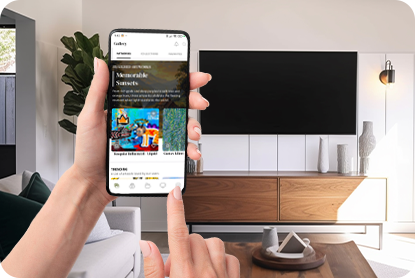
Step 1
Open the Liquid Canvas App
Start by opening the Liquid Canvas app on your mobile device or tablet.

Step 2
Browse the Dog TV Collection
Go to the Collections tab and scroll down until you find the Dog TV Collection.
This collection includes calming animations and pet-friendly visuals designed for dogs.
Step 3
Assign the Collection to Your TV
Select the collection and assign it to any connected smart TV for instant playback.


Create a Custom Dog Playlist
Step 1
Explore the Pets Category
For a more personalized experience, open the Artworks tab and browse the Pets category inside All Artworks.


Step 2
Select Your Favorite Animations
Choose the videos and animations you want your dog to enjoy.
Step 3
Create a New Playlist
Add your selected content to an existing playlist or create a completely new playlist dedicated to your pet.


Step 4
Stream to Any Connected TV
Open the Playlist Menu, select your playlist, and assign it to any TV connected to Liquid Canvas.
Your custom Dog TV experience is now ready to play anytime.

Turn Any TV Into a Relaxing Space for Your Dog
Create calming playlists, stream beautiful pet-friendly content, and personalize your dog’s viewing experience with Liquid Canvas.
Download the App
Start Your Dog Playlist Today

